Showing posts with label mac osx. Show all posts

10/13/2013

8 Useful Mac keyboard shortcuts while editing the text

If you spend a lot of time typing the plain text, writing the program, I suggest that you should remember the below Mac keyboard shortcuts to save your time. Here are a few quick shortcuts to set the matter straight for everyone in Mac OSX.

  1. Command + Right
  2. Move to beginning of line.
  3. Command + Left
  4. Move to end of line.
  5. Command + Up
  6. Move to beginning of document.
  7. Command + Down
  8. Move to end of document.
  9. Command + Delete
  10. Delete the entire line of text or paragraph behind the cursor.
  11. Option + Delete
  12. Delete the entire word behind the cursor.
  13. Shift + Command + Left
  14. Select text to beginning of a line.
  15. Shift + command + Right
  16. select text to end of a line.

5/07/2012

設定JAVA_HOME on Mac OSX

對一個Java開發者而言手上應該有很多JDK要試,如何快速設定JDK相關變數?

  • open /Applications/Utilities/Java\ Preferences.app
  • 選擇優先要使用的JDK版本

  • 設定 $JAVA_HOME 自動化取得現在JDK路徑
  • vim ~/.bash_profile

    export JAVA_HOME=`/usr/libexec/java_home`

非常實用Tip!

9/18/2011

如何刪除finder's favorites

Mac Lion finder 我的最愛還滿好用的,但是如何編輯刪除它?

真是怪招一堆:

按下Command key + Dragging item

7/07/2011

Mac osx 字典尚有其他用途

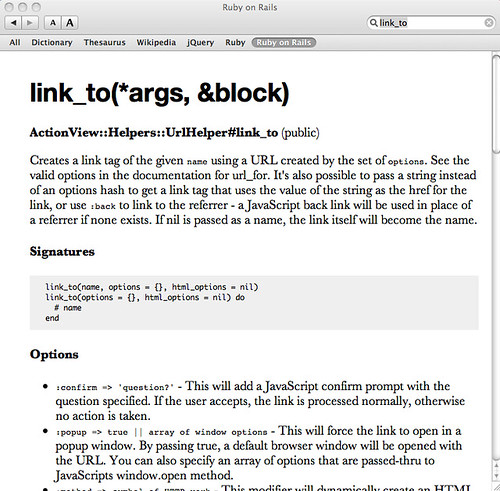
原來Mac Dictionary還可以當API手冊來使用,讓你在寫程式快速查詢API說明。

mac dictionary

當按下 control + space (呼叫mac spotlight) , 輸入keyword

Screen shot 2011-07-07 at 下午2.23.35

安裝

下載並解壓於至 ~/Library/Dictionaries/中,設定Mac Dictionary 查詢順序。

雖然已經是舊文,在還不知道些技巧之前我幾乎不會想用Mac Dictionary。

另外一個問題如何做字典檔(網路上好像沒有資源),只看到Apple 開發文件,不然真想連JDK文件一起匯進去Orz!

參考

http://priithaamer.com/blog/ruby-on-rails-dictionary-for-macosx

5/28/2011

Apache Ant安裝於OSX

編Jruby需要Apache Ant

  • 下載http://ant.apache.org/
  • 搬移sudo mv ant-1.8/ /usr/local/
  • 設定vim /etc/bashrc
  • [code lang="bash"] export ANT_HOME=/usr/local/ant export PATH=${PATH}:${ANT_HOME}/bin [/code]

6/18/2010

Install mongodb on OSx

安裝mongodb,使用 homebrew OSX環境中

[bash] #install path /usr/local/Cellar/mongodb/1.4.2-x86_64 brew install mongodb sudo mongod #run mongo shell mongo [/bash]

mongod也可以直接指定儲存路徑mongodb --dbpath ~/db/,同時官方的推薦使用64bit。

5/15/2010

yahoo 輸入法+嘸蝦米

Yahoo輸入法已經有支援Mac環境,雖然官方沒有說支援嘸蝦米,但是yahoo輸入法採香草Open架構,也能夠Plugin使用其它輸入法。

安裝步驟:

  1. 安裝Yahoo輸入法Mac
  2. 利用G大神找Liu*.cin
  3. 複製liu*.cin 至~/Library/Application Support/Yahoo! KeyKey/DataTables/Generic
  4. 登出
  5. 努力微調到您要的感覺

3/06/2010

start sshd in Mac

最近工作機換成Mac min i,一切又是新的感覺,等待新的macbook pro。 sudo /usr/libexec/sshd-keygen-wrapper sudo /usr/sbin/sshd -i